
How to check a WD_BLACK SN850X 2TB with heatsink before buying
A practical check of M.2 slot support, PCIe, 2280 clearance, heatsink space and model confirmation for the WD_BLACK SN850X 2TB, without replacing your motherboard or system manual.
อ่านภาษาไทยChoose the WD_BLACK SN850X 2TB with heatsink against the computer you will install it in, not capacity alone. Before contacting the shop, note the motherboard or computer model, the available M.2 slot, your workload and the space around the slot.
Start with the M.2 slot and PCIe support
M.2 describes the card and connector form, while PCIe describes the interface. Check the motherboard or computer manual to confirm that the slot supports NVMe and whether it shares lanes with another port or device.
Do not treat M.2 as a synonym for NVMe. M.2 SATA and M.2 NVMe drives can look similar, but slot support depends on the exact system and its manual.
2280 requires the right length and mounting point
The 2280 label describes an approximately 22 mm wide and 80 mm long drive. Confirm that the standoff and screw position match, and that cables or nearby parts do not block the installation area.
A bare drive may fit while its heatsink conflicts with a motherboard cover, another slot or a laptop panel. Check the height and the manual's heatsink instructions before installation.
Separate the 2TB heatsink and non-heatsink models
For the 2TB reference model, the manufacturer separates the heatsink part number WDS200T2XHE-00BCA0 from the non-heatsink WDS200T2X0E-00BCA0. Do not order from the SN850X family name or capacity alone; send the complete part number to the shop for confirmation.
The manufacturer's 2TB specification lists up to 7,300 MB/s sequential read, up to 6,600 MB/s sequential write and 1,200 TBW endurance. These are model specifications under stated test conditions, not a guarantee for every computer.
A heatsink is a physical requirement, not a temperature guarantee
A heatsink can help transfer heat, but the result depends on case airflow, slot position, mounting pressure and contact. If the motherboard has an M.2 cover, check whether it should be removed, used instead or kept separate.
| Check | Question before buying |
|---|---|
| Slot | Does the free slot support NVMe, and does it share lanes with another device? |
| Length | Is there a 2280 mounting point and enough surrounding clearance? |
| Height | Will the heatsink meet a cover, graphics card or case panel? |
| System | What boot and UEFI conditions does the motherboard or computer specify? |
Choose 2TB with a real storage plan
The space shown by the operating system is lower than the box label mainly because manufacturers use decimal capacity while operating systems commonly display binary units, with additional space used by formatting and the file system. If you store games, video or large projects, leave room for updates and normal system operation.
Capacity is not a complete measure of speed or endurance. Separate the questions about space, interface, temperature, service life and warranty, then check evidence for the exact model and capacity.
For PS5, check heatsink clearance and dimensions
The PlayStation 5 guide specifies M.2 SSD requirements and limits the combined space for the heatsink and cooling parts. A heatsink version is therefore not automatically compatible with every PS5. Check the console model, actual dimensions and Sony's installation guidance before buying.
Verify the drive in the operating system
After installation, check whether UEFI and the operating system detect the drive, then partition or clone it according to your plan. Seeing a drive in one tool does not by itself prove that booting or migration is complete.
Frequently asked questions
Does an M.2 slot mean the SN850X will work automatically?
Not necessarily. Confirm NVMe support, the relevant interface, the drive length and the motherboard's slot restrictions.
Will the heatsink fit every computer?
No. It adds height and clearance requirements. Check covers, nearby parts and the computer's airflow or panel space.
What should I confirm with the shop before payment?
Send the computer model, intended use, target slot and the model reference. Confirm the exact item's price, availability, condition, included accessories and warranty terms before payment.
Model reference: WD_BLACK SN850X 2TB with heatsink
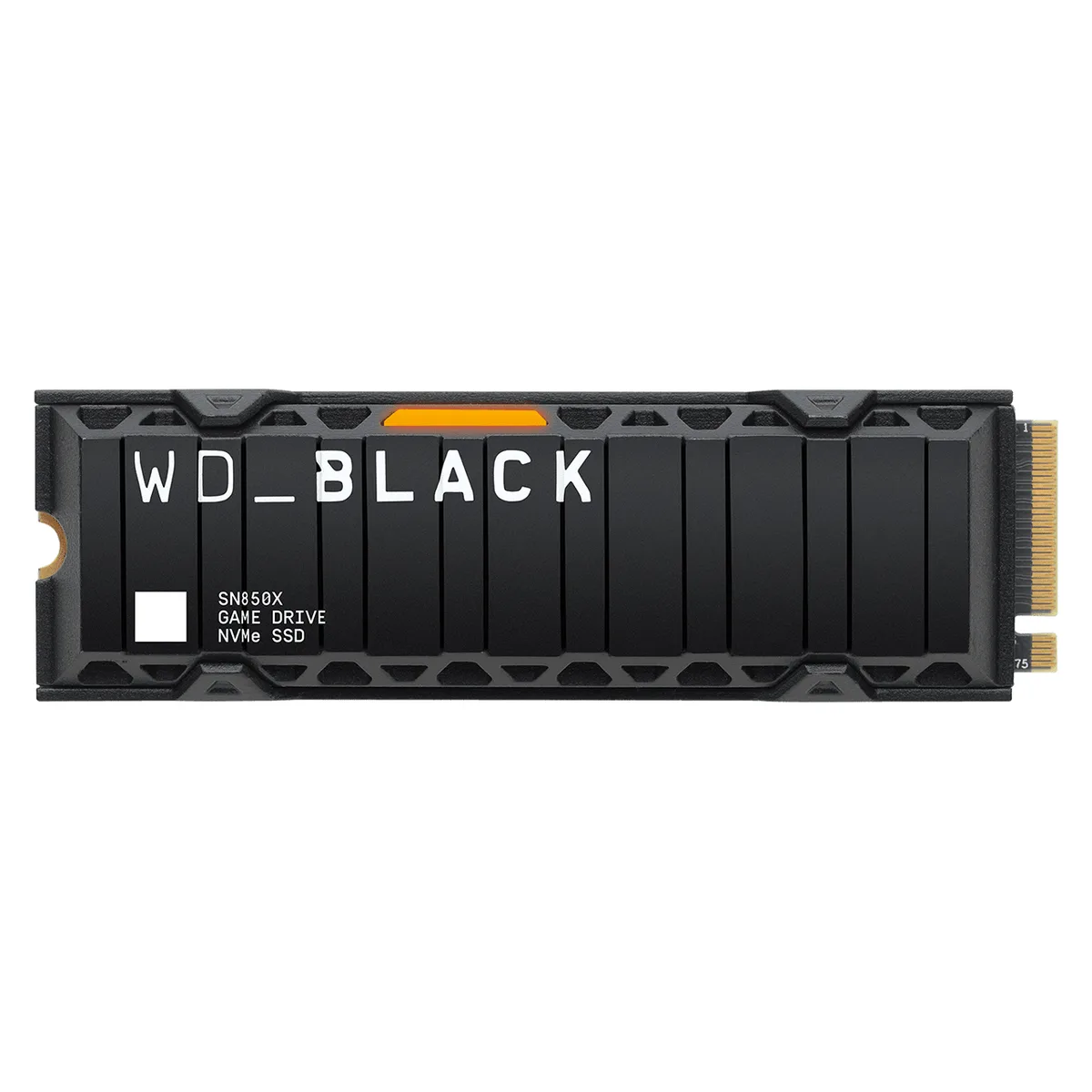
This guide uses the exact model reference below for a compatibility discussion. It is not a stock, price or warranty statement.
Model: WD_BLACK SN850X 2TB with heatsink
SKU: M2NVME-WD-SN850XWITHHEATSINK-2TB-GEN4
Ask about this model on LINE ↗Ask about this model on Messenger ↗